

Key Takeaways
- The layer decides more than the tool does. Layers hurt to change later and tools don't, so settle the layer first.
- Plenty of jobs that feel like they need Zapier need a saved prompt instead. Claude's free plan carries skills and connectors at no cost.
- Something has to happen while you're asleep before a connector platform earns its price. Step count on its own isn't the trigger.
- Zapier bills per action, Make per module, n8n per workflow run. A 6-step workflow fired 30 times costs 180 Zapier tasks and 30 n8n executions.
- HubSpot's workflow builder sits in Marketing Hub Professional at $800 a month, on top of a one-time onboarding fee of $3,000.
- Agent builders charge for the model call, so a workflow that gets popular gets expensive without anybody touching the build.
- Relay.app deleted its paying customers' accounts on 14 September 2026. Check a platform's export before you build anything on it.
Quick Answer
AI workflow automation is software that runs a series of steps on its own, with a language model doing one of them. Which tool you need comes down to whether the job has to run when you're not there.
If it doesn't, a saved prompt in Claude or ChatGPT costs nothing. If it does, Zapier, Make and n8n start between $0 and $9 a month.
Every go-to-market team has a few jobs that come back on a schedule. Reading the Google Ads search terms report line by line. Checking which trial accounts went quiet last week.
When one of them gets annoying enough, the instinct is to go looking for a platform. An hour later you're comparing Zapier against Make against n8n and nothing has been automated.
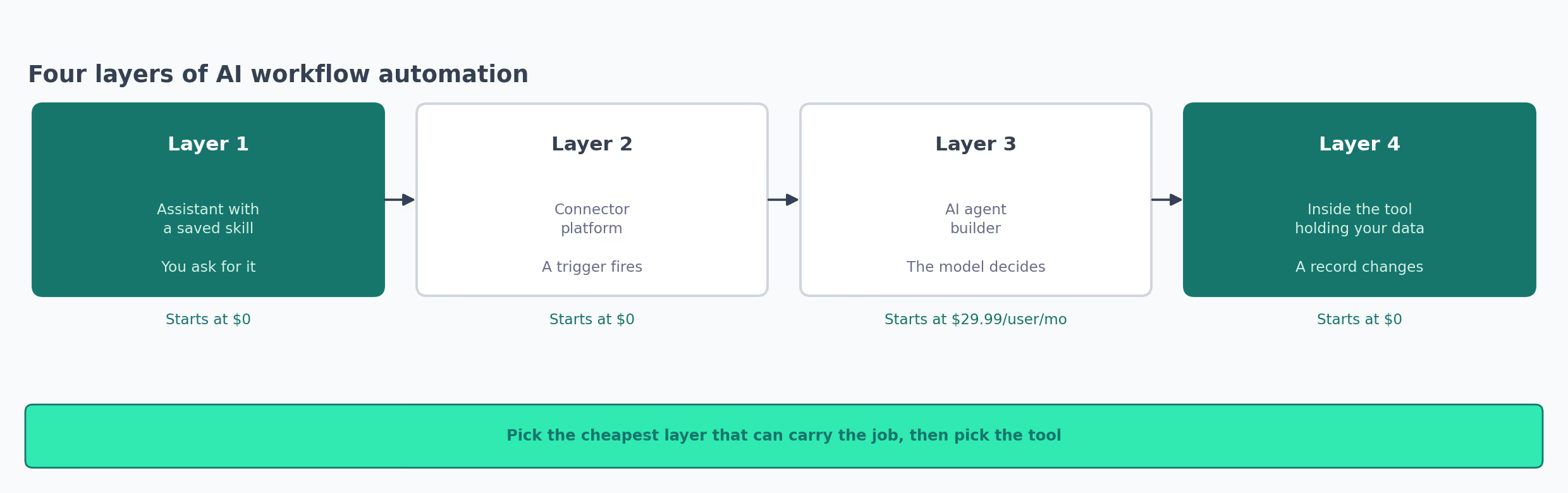
Those jobs each sit at one of four layers. The layer settles what you pay and what has to be connected. It also settles whether the job works while you're asleep, and what you lose if a vendor walks away.
The last one happened two days ago. Relay.app deleted its paying customers' accounts on 14 September 2026, taking every workflow anybody had built there.
What an AI Workflow Is, and What It Takes to Run One
An AI workflow is a set of steps that carries itself out. A language model handles one of those steps. Something happens and the software does the next few actions without anyone touching it.
The model covers the part a rule can't. Reading a support ticket and deciding whether it sounds angry is a model step, and counting how many arrived is not.
Two questions decide which layer a job belongs at. Where does the thing live, and what do you have to connect before it can do anything?
The difference is a setup that takes 10 minutes and one that takes two weeks.
A saved prompt needs nothing connected at all. A connector platform needs a login for every app in the chain. The platform stores those logins, you renew them when they expire, and if somebody changes a password the workflow stops working without telling you.
Connecting an app usually means signing in as yourself, so the automation runs on your permissions. When you leave the company, so does the workflow.
| What you probably already have | What the layer adds |
|---|---|
| A paid seat on Claude or ChatGPT | A saved skill, which is a folder of instructions you attach once |
| A CRM holding your contacts and deals | Its own workflow builder, usually a tier above the one you're on |
| Logins to Google Ads, Search Console, Slack | A connector platform that stores those logins and acts on them |
| A spreadsheet somebody updates by hand | Anything above, which is why the spreadsheet survives so long |
The Four Layers of AI Workflow Automation, Side by Side
| Layer | Where it lives | What sets it off | Tools covered | Starts at |
|---|---|---|---|---|
| 1. Assistant with a skill | The chat app you already pay for | You, when you ask | Claude, ChatGPT | $0 |
| 2. Connector platform | A server the vendor hosts, or one you host | A schedule, a webhook, an app event | Zapier, Make, n8n | $0 |
| 3. AI agent builder | The vendor's agent runtime | A schedule, an email, a Slack message | Lindy, Gumloop | $29.99 per user per month |
| 4. Inside your GTM tool | The tool that already holds the data | A record changing | HubSpot, Clay, Apollo | $0 |
Three of those four layers carry a genuine zero, so the cost of trying the wrong one is usually an afternoon and not a budget line.
A team with eight automations will usually have them spread across three of these layers. The live question per job is which layer is the cheapest one that can carry it, and the answer changes as a job grows.
Layer 1: A Chat Assistant With a Saved Skill
This layer covers jobs you do yourself, on a rhythm, that don't need to happen at 3am. The monthly search terms scan. The competitor page you reread every quarter. Anything where the tedious part is the repetition and not the timing belongs here.
Nothing gets connected and nothing gets built. Writing down how the job is done takes one pass, and from then on the assistant follows it.
A skill here means a folder with a markdown file inside it that tells an assistant how you want a job done. You attach it once. The assistant follows it every time the job comes round, and here's the shape of one:
negative-keyword-mining/
  SKILL.md
  reference/
    exclusion-themes.md
The file doing the work opens with a few lines of metadata and then plain prose. The description field decides whether the assistant reaches for it at the right moment:
---
name: negative-keyword-mining
description: Reads a Google Ads search terms report and groups the
  wasted spend into themes. Use when asked to find negative keywords
  or clean up an account's search terms.
---

Pull the last 45 days of search terms. Sort by cost descending.
Never write an exclusion for a term with a conversion against it.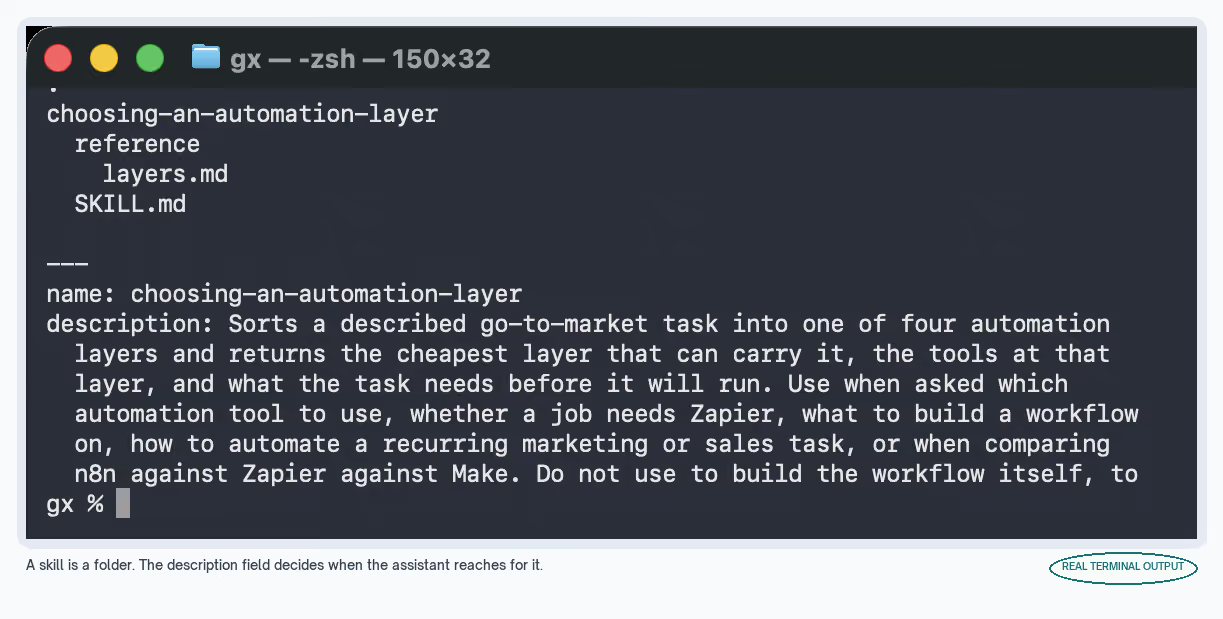
None of it is code, so you can read somebody else's skill before you let it near your account, and edit the rule you disagree with in a text editor.
There's no dashboard, no run history, and nothing to show anybody. You just stop doing the job by hand, starting today.
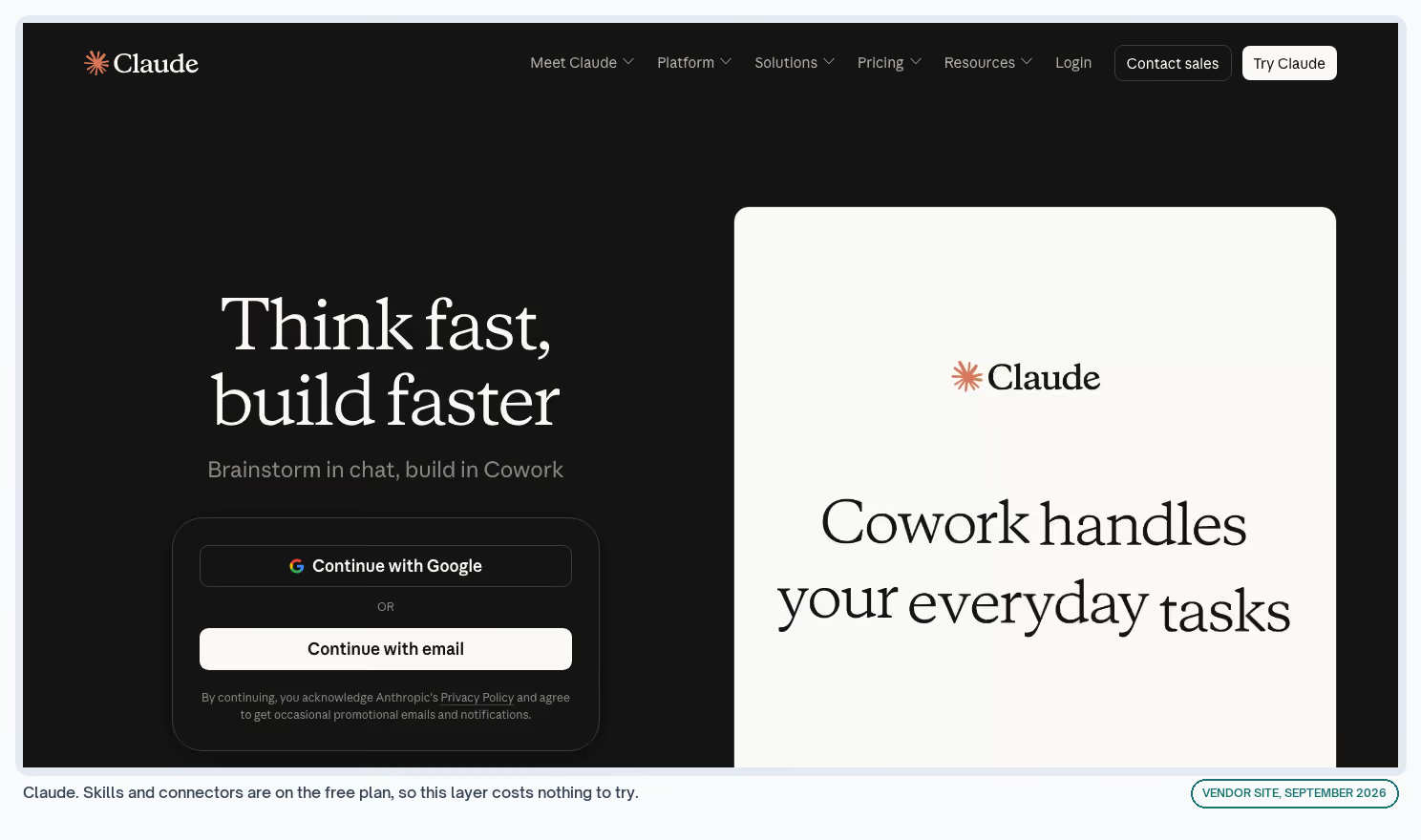
Claude
Anthropic's assistant, which runs packaged skills and reaches outside data sources through connectors, so it can read a live Google Ads account instead of working from whatever you paste into the chat.
Cost
Free plan includes skills and connectors. Pro is $20 a month, or $17 annually, and Team seats are $25, per Anthropic's pricing. · Exchange listing
What I Like
- Skills and connectors both sit on the free plan, so the whole layer can be tried before anybody approves a card
- A skill is plain markdown, so you can read one end to end before running it and edit it without opening a builder
- Connectors let it read the account itself, so the output names your campaigns instead of describing campaigns in general
- Moving a skill elsewhere is copying a folder, and that portability is rare enough here to matter when a vendor changes its terms
What Could Be Better
- Nothing fires on a schedule, so you have to open the app and ask
- Free-plan usage limits arrive fast on long jobs, and a half-finished analysis is more dangerous than none
My Tip
I'd write the skill only after doing the job by hand twice. The second pass is where the step you'd have left out shows up.
A skill that misses a step still returns an answer, and the gap in it is hard to spot.
ChatGPT
OpenAI's assistant, which covers the same ground through custom GPTs and scheduled tasks, with skills listed in beta on its plan comparison.
Cost
Free plan available, and scheduled tasks plus custom GPTs turn on at Plus. OpenAI's pricing quotes in local currency, so the figure depends on where you're logged in.
What I Like
- Scheduled tasks mean this layer can work without you, which Claude's version can't do
- A custom GPT is shareable across a team without anybody installing anything
- The free tier holds up well enough to test whether a job deserves automating at all
What Could Be Better
- The logic lives inside one product, so moving it means rewriting it instead of copying a file
- Pricing displayed in local currency makes it harder to budget across a global team
My Tip
When I want one thing to happen every Monday and nothing more complicated, a scheduled task here beats building anything at layer 2. The moment a second app has to be involved, I'd stop and go up a layer.
An AI Workflow Example That Runs Here
Negative keyword mining is the cleanest version of this layer. Claude reads 45 days of Google Ads search terms through a connector, groups the wasted spend into themes, and hands back exclusions ready for upload.
It happens monthly because you make it happen. The call on what to exclude stays with you. Blocking the wrong term costs you traffic, and nothing tells you it happened.
The build is a folder and a connector. No server, no webhook, and nothing to keep alive in between.
Where Layer 1 Stops
At the moment the job has to happen without you opening anything. A scheduled task on ChatGPT stretches that a little, and one app is about as far as it goes.
Anything needing two apps to talk to each other is past this layer, however simple the logic is.
Layer 2: Connector Platforms Like Zapier, Make and n8n
This is the layer people mean by workflow automation. A trigger fires and a chain of steps crosses apps you've connected: a form arrives, a record gets enriched, a model classifies it, a Slack message lands in front of the right person.
A job comes here when it has to happen while nobody's watching. Step count on its own doesn't send it here. A 12-step job you're happy to trigger yourself is still layer 1, and a two-step job that has to fire at midnight is not.
A webhook, in that list, is a URL another app posts to the moment something happens. You paste it into that tool's settings once, and it pushes the news to your workflow instead of your workflow asking every few minutes.
What you take on is credentials. Every app in the chain needs a login the platform holds, and every one of those expires, gets rotated, or loses a permission when IT tightens a policy.
The other thing you take on is a second place where business logic lives. Six months in, the answer to why this lead went to that rep sits in a visual canvas. Only one person has ever opened it.
That's survivable when somebody writes down what the workflow is for and who owns it.
Zapier
The biggest connector catalog in the category, and the one most go-to-market teams already have a login for.
Cost
Free is $0 a month with 100 tasks and two-step workflows. Professional starts at $19.99 a month billed annually for 750 tasks, per Zapier's pricing. · Exchange listing
What I Like
- The app you need is almost always already there, which saves more time than any single feature
- Two-step Zaps on the free plan prove a trigger fires before anybody pays
- Copilot drafts a first version of the Zap from one sentence, which gets a non-technical marketer past the blank canvas
What Could Be Better
- Multi-step is a paid feature, and nearly every useful go-to-market workflow is multi-step, so the free plan reads as a demo
- A task is charged per action, so the bill grows with the length of the workflow and not only with how often it goes off
My Tip
I'd count the actions in a workflow before picking a plan here. The 750-task allowance on the entry tier is roughly 125 runs of a 6-step job, and that arithmetic catches people out in week three.
Make
A visual builder competing on price and on debugging. You can see the data at every step, so a broken run takes five minutes to sort out instead of guesswork.
Cost
Free is $0 a month with up to 1,000 credits, two active scenarios, and a 15-minute minimum gap between runs. The Make plan is $9 a month for 5,000 credits, per Make's pricing.
What I Like
- $9 a month for 5,000 credits is the cheapest entry to multi-step automation in the category
- Routers and filters sit on the free plan, so branching logic costs nothing to test
- The visual debugger shows data moving between modules, which makes a failed run diagnosable instead of mysterious
What Could Be Better
- The 15-minute minimum interval on free rules out anything that has to react quickly
- Credits burn per module, so a loop over 200 rows costs more than the pricing page makes obvious
My Tip
That 15-minute floor is the number I check first when somebody asks whether the free plan will do. On a nightly job it's irrelevant.
On lead routing it's the entire answer. A lead answered 20 minutes late has usually been called by somebody else already.
n8n
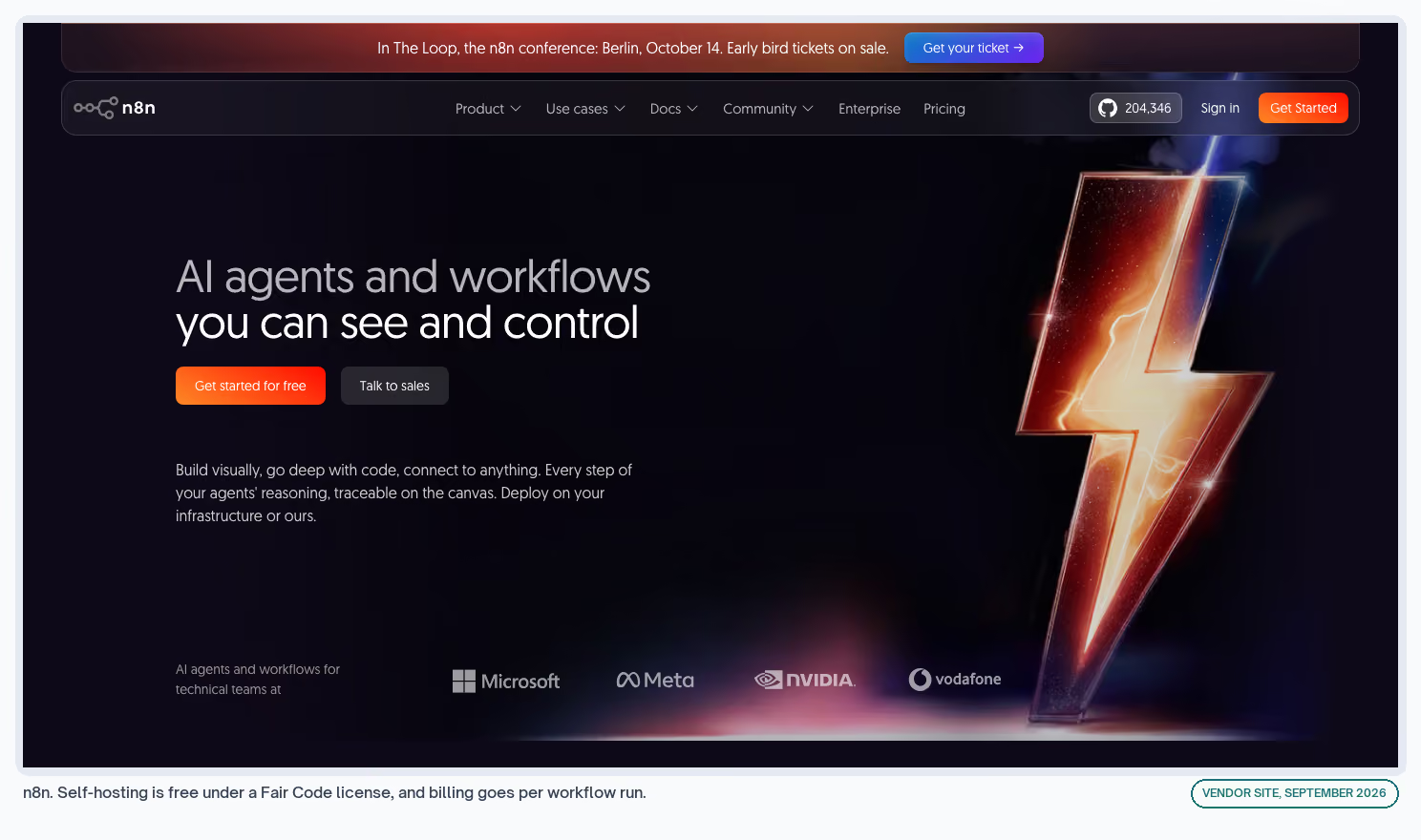
A workflow tool you can self-host under a Fair Code license, with a template library that covers more AI steps than the other two.
Cost
Self-hosted Community Edition is free. Cloud Starter is €20 a month billed annually for 2,500 executions and Pro is €50 for 10,000, per n8n's pricing.
What I Like
- Billing goes per workflow run, and the pricing page is blunt about it: "an execution is a single run of your entire workflow. It doesn't matter how many steps are in the workflow or how much data it processes."
- Self-hosting is free, so customer data never leaves infrastructure you control, which answers most security reviews before they start
- The template library carries the AI-heavy jobs, so plenty of builds start from somebody else's working version and not an empty canvas
What Could Be Better
- Self-hosting means you now own a server, with the updates, the backups, and the 2am outage that comes with one
- Cloud pricing is in euros, which adds an exchange-rate line to a US budget
- The self-hosted Business tier needs a license key that pings a license server daily, so an air-gapped install isn't possible
My Tip
Per-execution billing is the deciding factor once a workflow passes about eight steps. Below that the difference is noise. Above it the gap opens quickly, and it keeps opening as the workflow grows.
What the Same Workflow Costs on Each Platform
Take a 6-step workflow that goes off 30 times a month. The job doesn't change, and the meter reads differently in each.
| Platform | The billing unit | What 30 runs consumes |
|---|---|---|
| Zapier | One task per action taken | 180 tasks |
| Make | Credits per module executed | About 180 credits |
| n8n | One execution per workflow run | 30 executions |
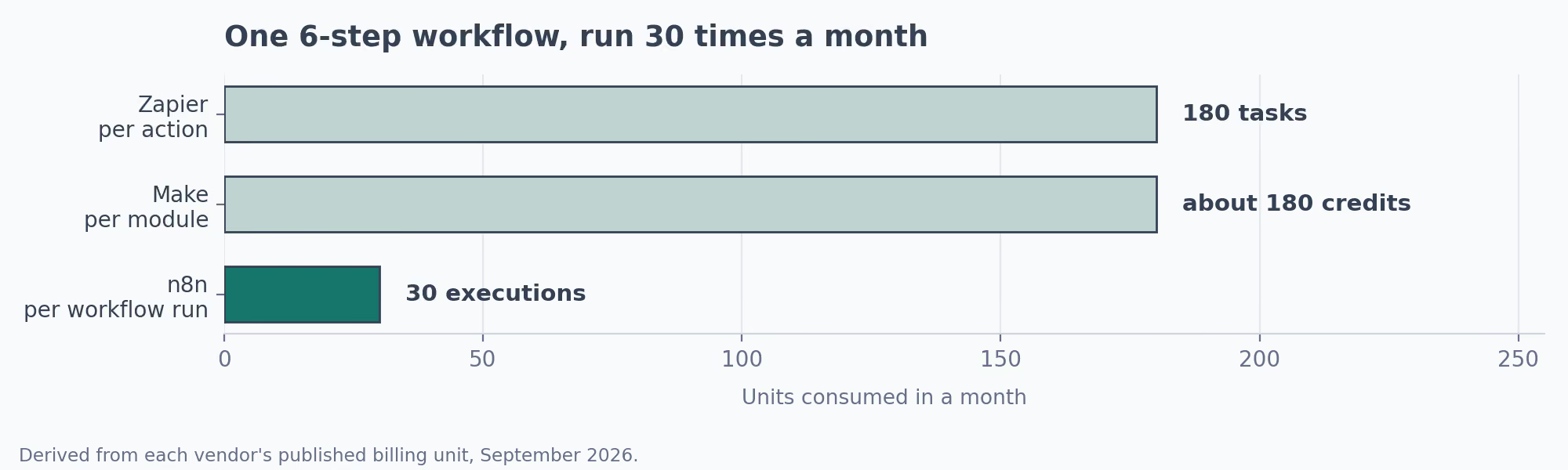
The gap widens with every step you add. A workflow that grew from four steps to 12 can double a Zapier bill without going off any more often, and that growth happens one small addition at a time.
Nobody decides that in one go. It happens one request at a time, when somebody asks whether it could also update the sheet.
An AI Workflow Example That Runs Here
Churn prediction builds an account health score out of deal age, ticket sentiment, and usage trend. When a score crosses a threshold you set, the account owner gets an email. Nobody has to remember to look.
Sentiment is the step a rule can't do. The rest is routine: pulling the rows, comparing a number to a threshold, addressing an email.
Where Layer 2 Stops
At the step that needs a decision instead of a label. You can get a long way asking a model to classify something inside a Zap. It strains when the workflow needs to choose what happens next.
The sign is a branch you keep adding cases to. Five branches is a rule, and 15 is a decision somebody should be making.
The other sign is how many people can explain what the workflow does. One person is normal at the start. One person after a year is a risk.
Layer 3: AI Agent Builders Like Lindy and Gumloop
Here the model drives the workflow instead of sitting inside one of its steps. You describe an outcome, connect the apps, and the agent picks its own path through them.
The trade is control for setup time. You get something working in an afternoon. What you give up is knowing exactly what it will do with an input you didn't plan for. That's fine for drafting a reply and risky for anything involving money.
Lindy and Gumloop both skip the permanent free plan, and both trials are short enough that a proper evaluation means paying first.
Lindy
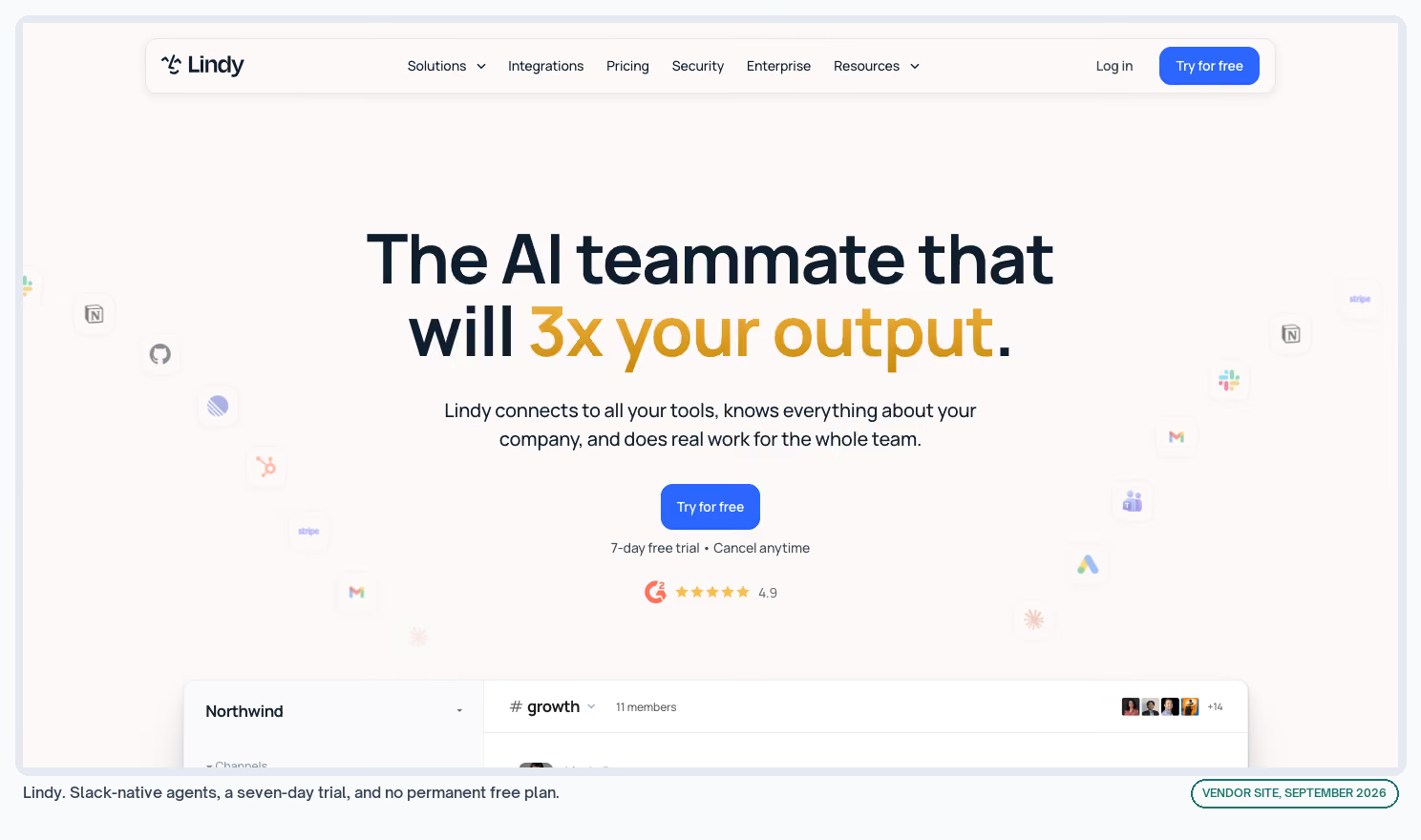
An agent builder that lives partly in Slack, with scheduled routines and a library of prepackaged skills.
Cost
Plus is $29.99 a month per user for 3,000 credits and Pro is $99.99 for 15,000, per Lindy's pricing. New teammates get a seven-day trial and no permanent free plan exists.
What I Like
- Being Slack-native removes the adoption problem, because nobody has to open another tab to use it
- Prepackaged skills cover the meeting and inbox jobs that eat a sales team's mornings
- Per-user credits make the bill predictable in a way consumption-only pricing isn't
What Could Be Better
- No free plan, so a proper evaluation costs money before you know whether it fits
- Per-user pricing gets expensive on a team where only two people will build anything
My Tip
I'd work out who builds here before buying seats. On my own team that list is much shorter than the list of people who benefit from what gets built.
Gumloop
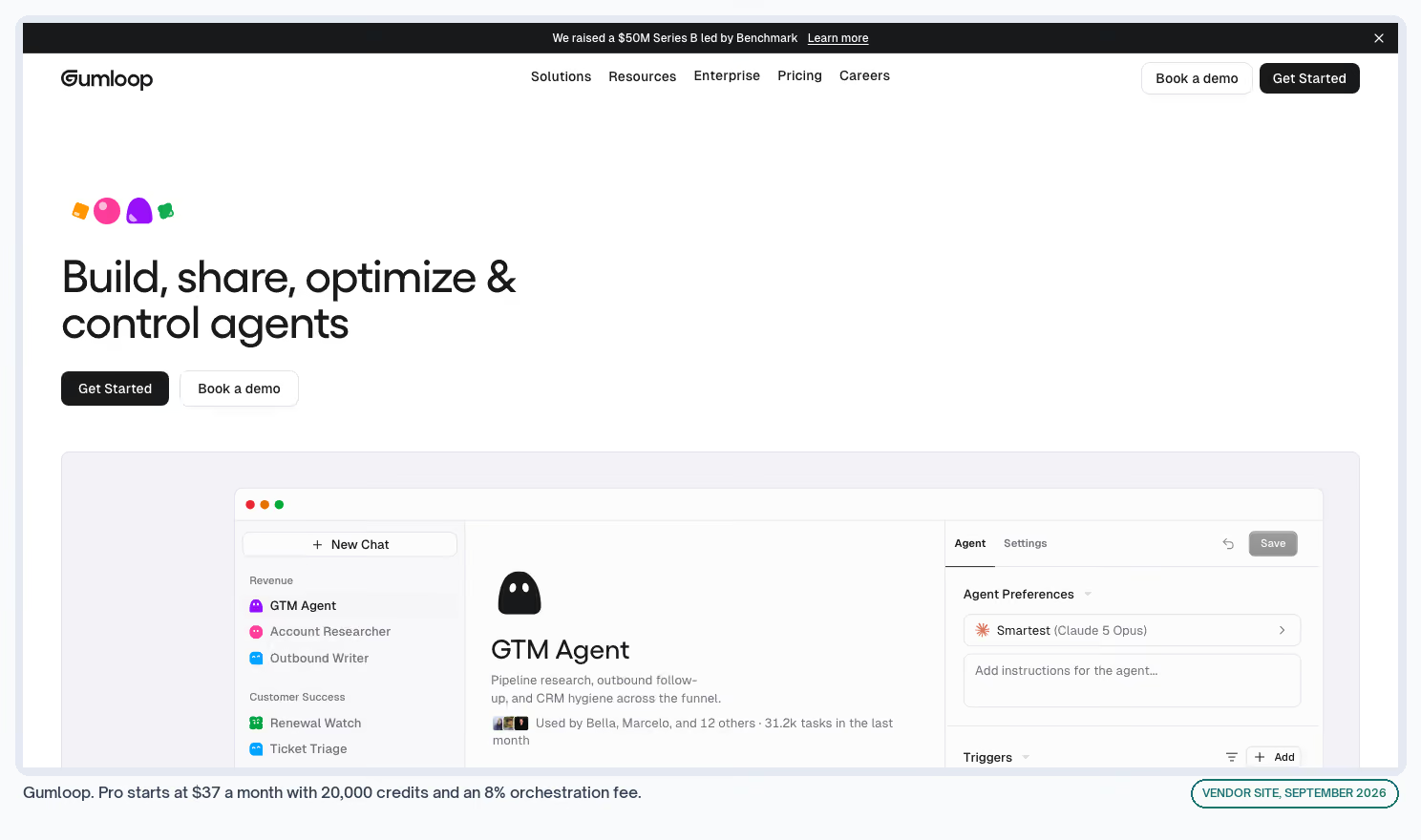
An agent platform with its own credit model, plus the option to plug in your own API key so the model usage bills to your account and not to theirs.
Cost
Pro starts at $37 a month and includes 20,000 credits, with an 8% orchestration fee on top, per Gumloop's pricing. A 14-day trial is available.
What I Like
- Bringing your own API key puts the model spend on a bill you already read, at rates you already negotiated
- Unlimited seats and teams on the Pro plan, so cost tracks usage and not headcount
- 35 or more models available, which keeps a cheap model on the cheap jobs
What Could Be Better
- The 8% orchestration fee is a percentage on top of usage, so the total is harder to forecast than a flat allowance
- No free plan, and 14 days is tight for proving out a workflow that only goes off weekly
My Tip
The orchestration fee is the line I'd model before signing. On a workflow that goes off a few times a day it's rounding. On one chewing through thousands of rows it becomes a number somebody in finance asks about.
An AI Workflow Example That Runs Here
Reddit brand monitoring is the kind of job agent builders are built for. Each day it searches Reddit for your brand keywords, scores each mention out of 100 for sentiment, and drafts a reply in a tone that matches the thread.
Anything scoring above 60 goes to a human in Slack. That published version is built on n8n, so it's a layer 2 tool doing a layer 3 job.
Your choice between them is whether you'd sooner own the build and see every step, or rent a runtime and describe the outcome.
Nothing posts to Reddit without a person approving it, An agent that can post on its own can also get your account banned. That holds at any layer.
Where Layer 3 Stops
At the point where the vendor's future becomes your problem. This layer holds the newest companies and the pricing that changes most often.
That makes it a good place to build something small and a poor place to move everything. I'd keep anything an agent does reversible, so a rebuild somewhere else takes a weekend instead of a quarter.
Layer 4: Automation Built Into Your CRM or Data Tool
Nothing gets connected at this layer, because the data is already there. Your CRM knows which deals went cold. Your enrichment tool already has the company record.
The automation is a feature of a product you pay for, so the job is configuration and not construction. That also makes it the layer somebody else on the team can maintain.
Over two years that counts for more than anything on a feature list. A workflow only one person understands stops working the week that person leaves.
In all three, automation sits a tier or two above where people sign up. HubSpot's workflow builder is two tiers up from its free plan, and the jump is steep.
HubSpot
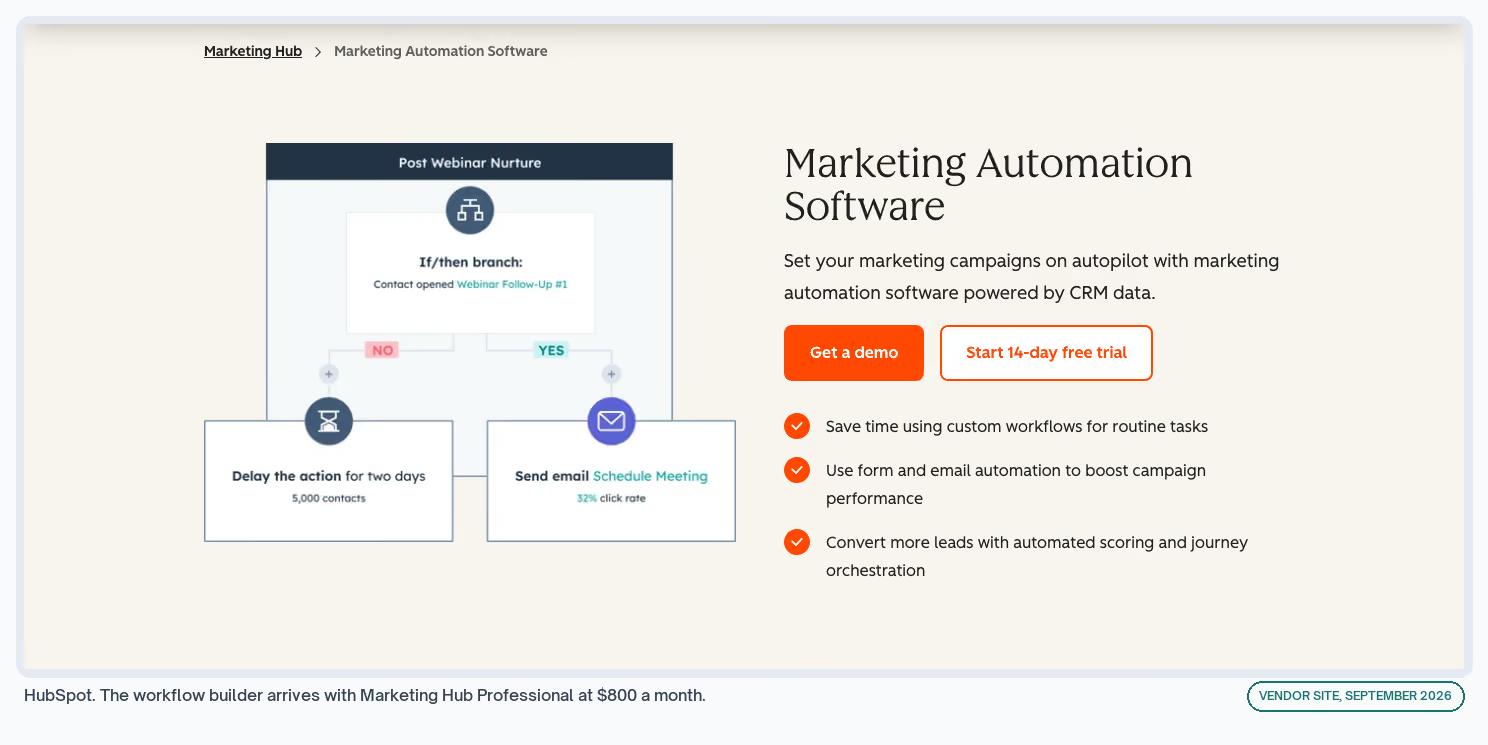
The CRM most B2B software teams already run, with a workflow builder covering enrollment, branching, and delays.
Cost
Free for up to two users, and Starter is $20 a month per seat. The workflow builder arrives with Marketing Hub Professional at $800 a month annually, plus a required $3,000 onboarding fee. · Exchange listing
What I Like
- The data and the automation are one system, so there's no sync to break and no credentials to rotate
- Enrollment history and enrollment logs give you an audit trail when somebody asks why a contact got an email
- The free tier holds up as a CRM on its own, which is why so many teams are already sitting here
What Could Be Better
- The $3,000 onboarding fee is required and separate from the subscription, and it rarely appears in anybody's comparison spreadsheet
- Workflows being a Professional feature puts a $9,600 annual floor on automating inside your own CRM
- Nothing reaches outside HubSpot without another tool in the chain
My Tip
Before switching a workflow on, I'd push a test record through it and count what arrives. The builder's preview shows what you meant, and a live send shows what the settings do.
Clay
A go-to-market data platform where enrichment, research agents, and outbound sit on one table.
Cost
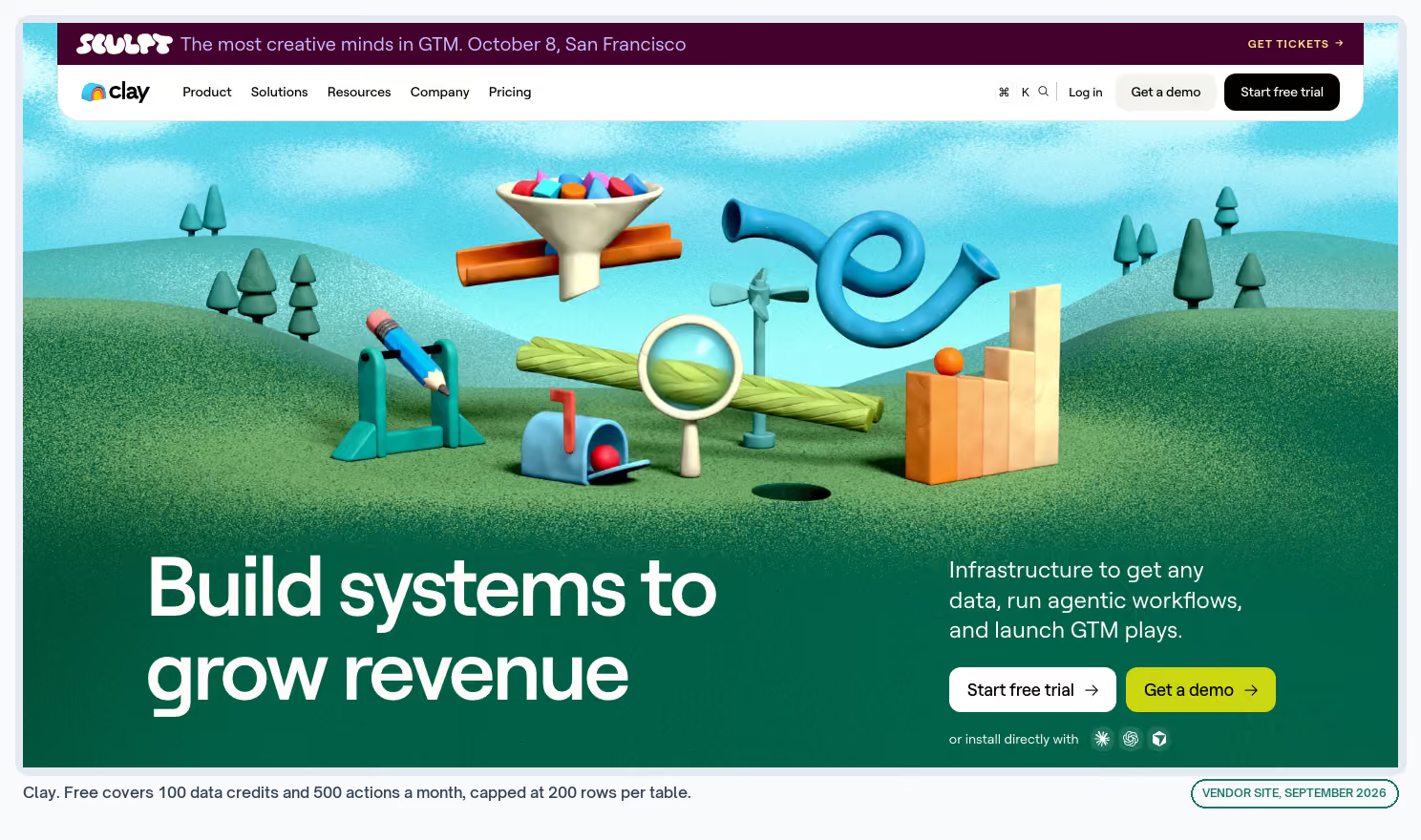
Free gives you 100 data credits and 500 actions a month, capped at 200 rows per table. Launch starts at $167 a month, or $54 billed annually, per Clay's pricing. · Exchange listing
What I Like
- Waterfall enrichment across providers on the free plan, which is the feature people sign up for
- Unlimited seats and tables even on free, so the whole team can look at the same data while one person builds
- Claygent researches a company from the open web and writes the answer into a column, which is layer 3 behavior inside a layer 4 tool
What Could Be Better
- Credit pricing means the same table costs a different amount each month depending on match rates
- The gap between monthly and annual billing is large enough that the monthly price reads as a penalty
- The 200-row cap on free gets hit within an afternoon of anything serious
My Tip
I'd run the first list at 200 rows and check the match rate before committing to a plan. A waterfall coming back at 40% changes the credit maths completely, and you only find that out on your own data.
Apollo
A prospecting database with sequences, scoring, and workflow automation layered over it, aimed at teams who want the list and the sending to live in one place.
Cost
Free gives 900 credits per seat per year and two sequences. Basic is $49 per seat a month annually with two automated workflows, and Professional is $79 with agents and unlimited workflows, per Apollo's pricing. · Exchange listing
What I Like
- Data and sending in one place, so a list goes from built to contacted without an export
- Credits granted upfront on paid plans instead of dripped monthly, which helps when the work is lumpy
- AI lead scoring on the entry paid tier, and not held back for enterprise
What Could Be Better
- Automated workflows are capped at two on Basic, and two is not many once you start
- Agents only appear at Professional, a $948 annual commitment per seat before you can test them
- Per-seat pricing on a tool that mostly benefits one builder gets expensive across a large sales team
My Tip
Enriched decision-maker lists are where this earns its keep, and the human verification step in that build is not optional. An unchecked enrichment pass will put a first name in a company-name field. Nobody notices until it's sent.
An AI Workflow Example That Runs Here
HubSpot record enrollment is this layer in its plainest form. When a property changes on a record HubSpot already holds, an email or a task follows. Nothing outside HubSpot is involved at any point.
The setting that decides whether it behaves is re-enrollment, which controls whether a contact who qualifies a second time gets the same sequence again. Left on by accident, the same person receives the same email twice.
That failure arrives looking like a sending problem, which sends people off to check their domain reputation for a week. The cause is one checkbox.
Where Layer 4 Stops
At the edge of the tool's own data. The moment a workflow needs something from a product analytics tool or a support desk, you're back at layer 2 whether you wanted to be or not.
AI Workflow Examples, and the Layer Each One Needs
Each of these is published with its full build, so you can read the steps before committing to a layer.
| The job | Layer it needs | Why that layer |
|---|---|---|
| Mining negative keywords | 1 | Monthly, and the exclusion call should stay with a person |
| Tracking AI visibility | 1 or 2 | Manual while you learn the pattern, scheduled once you trust it |
| Predicting churn | 2 | Three data sources and an alert nobody should have to remember |
| Catching job changes | 2 | Browser automation, which no assistant does on its own |
| Routing cold leads | 2 | Has to go off in minutes, not whenever somebody checks |
| Reddit brand monitoring | 2 or 3 | The model judges relevance and drafts a reply |
| Meta creative fatigue | 2 | Daily, and the signal only appears across a window |
| HubSpot record enrollment | 4 | The data and the trigger already share a system |
| Form fill routing | 2 | A form, an enrichment call, and a CRM that don't know each other |
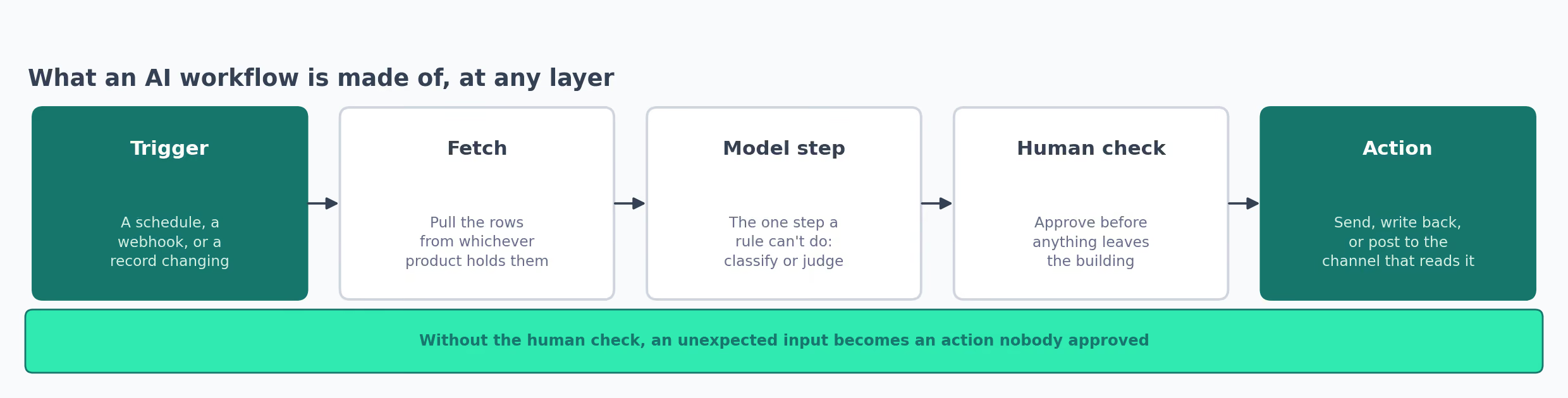
Layer 2 carries most of the load across those. Layers 1 and 4 are where the cheap wins hide, because a job landing at either end costs nothing extra on a tool you already pay for.
The wider workflow library splits the same way, because most go-to-market jobs need two systems that were never designed to speak to each other.
What Each Layer Costs to Run for a Year
Annual figures, at the cheapest plan on each vendor's own price list that does the job.
| Layer | Cheapest usable setup | Annual cost |
|---|---|---|
| 1. Assistant with a skill | Claude free plan | $0 |
| 1. Assistant with a skill | Claude Pro, annual | $204 |
| 2. Connector platform | n8n self-hosted, plus a small server | License free, hosting on you |
| 2. Connector platform | Make cloud plan, $9 a month | $108 |
| 2. Connector platform | Zapier Professional, annual | $239.88 |
| 3. AI agent builder | Lindy Plus, one user | $359.88 |
| 3. AI agent builder | Gumloop Pro, one builder | $444 plus 8% orchestration |
| 4. Inside your GTM tool | HubSpot Marketing Hub Professional | $9,600 plus $3,000 onboarding |
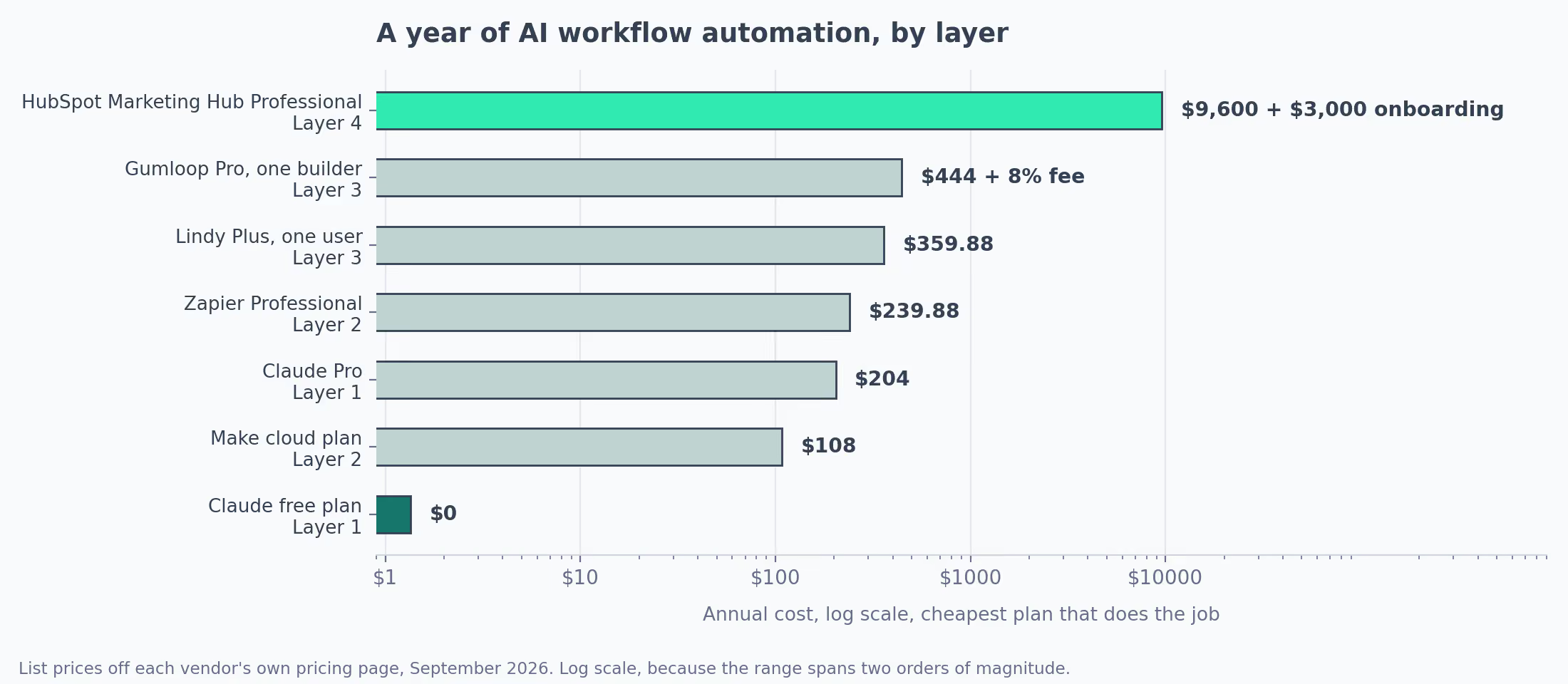
Layer 2 buys a year of multi-step automation for roughly one month of layer 4. Layer 1 does it for nothing.
Layer 4 needs no maintenance from a person who might leave, which is the main thing that price gap buys.
The costs that appear on no pricing page are the ones that grow. Hours spent reconnecting apps after a password change. Model costs on a workflow that started running more often without anyone noticing.
Then the time spent working out what a workflow does after the person who built it moved teams. Counting all of that, a $9,600 CRM tier looks less expensive than it first appears, and it comes with a support number.
Where Automated AI Workflows Break
The most expensive failure is a vendor deciding to stop, and it's the reason to check an export before you build anything.
The Platform Shuts Down
Relay.app's own page says: "Relay.app will be shutting down on August 15, 2026 for free users and September 14, 2026 for paying customers."
Free accounts and their data went in August. Paid accounts went two days ago.
Relay gave 60 days' notice and let people export their workflows as JSON, a plain text file another tool can read back in.
Pages currently ranking for this keyword still recommend it as a tool to buy today.
What you lose is the build, along with the only record of how the job worked.
✗  Pick a platform with good reviews and strong funding.
✓  Before building anything you'd miss, check the export. JSON out
   means a rebuild somewhere else. Screenshots only means you'd be
   starting from a blank canvas.
The Bill Rises Without Anyone Changing Anything
A workflow going off 30 times a month costs one thing. The same workflow after a campaign lands goes off 900 times. That costs 30 times as much, and nobody edited anything.
Per-action billing at layer 2 and credit billing at layer 3 both behave this way. Per-execution billing softens it, and only against step count.
An alert on the credit balance at 70% takes about 10 minutes to set up. It's the difference between noticing and finding out from an invoice.
A Step Fails Without Showing an Error
The expensive failures are the quiet ones. A HubSpot workflow with re-enrollment left on will email the same contact repeatedly until somebody reports it as a deliverability problem.
An enrichment step that returns nothing writes an empty field into the record, and the next step sends to that record anyway.
Neither of those trips an error. The status light stays green and the run history says success. The damage is in output nobody reads.
✗  The workflow ran without errors, so it worked.
✓  Count the rows that came out against the rows that went in. A run
   that processes 200 leads and produces 40 emails did something you
   should look at, whatever the status light says.
A Connection Stops Working
A password change, a sign-in token expiring, a platform retiring an old version of its interface. Each one breaks a workflow that has no reason to tell you, because from the platform's side nothing failed.
Anything going off less often than weekly is where this hides. A monthly job can be dead for eight weeks before anybody notices. A missing output is much harder to spot than a broken one.
The cheap answer is to make every workflow post to Slack even when it finds nothing. Then silence means something has broken.
Which Layer to Try First
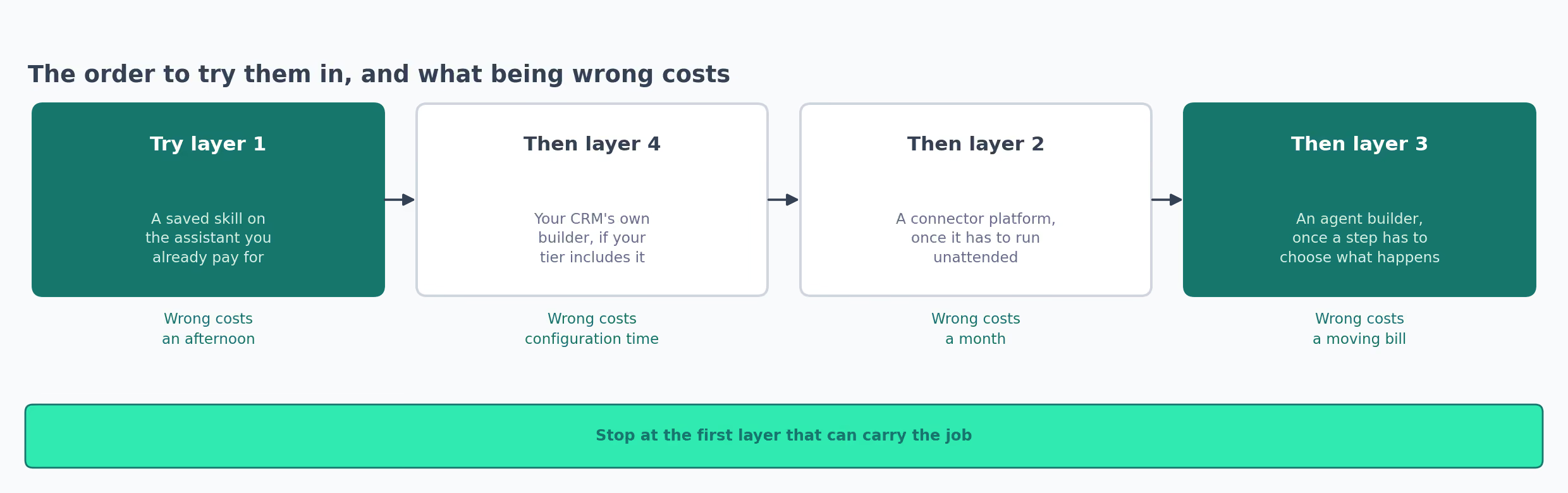
- Does it have to happen when you're not there? No, and layer 1 is finished before layer 2 is configured. Yes, and you're at layer 2 or above.
- Is all the data already inside one tool? Yes, and layer 4 costs nothing extra if you're on a tier that includes workflows. No, and layer 2 is the only honest answer.
- Does a step have to choose what happens next, and not just what to call something? No, and layer 2 with a model inside one step is cheaper and more predictable. Yes, and layer 3 earns its price.
My own bias is to try layer 1 first on anything. Being wrong there costs an hour, and being wrong at layer 4 costs a year of a Professional subscription plus an onboarding fee.
Choosing an automation layer
Takes one described task and returns the layer it belongs at, the two tools there, and what has to be connected before it runs.
I'd start with one job that annoys you and not a plan covering everything. The marketing workflow guide covers picking that first job.