


Preview
What it is.
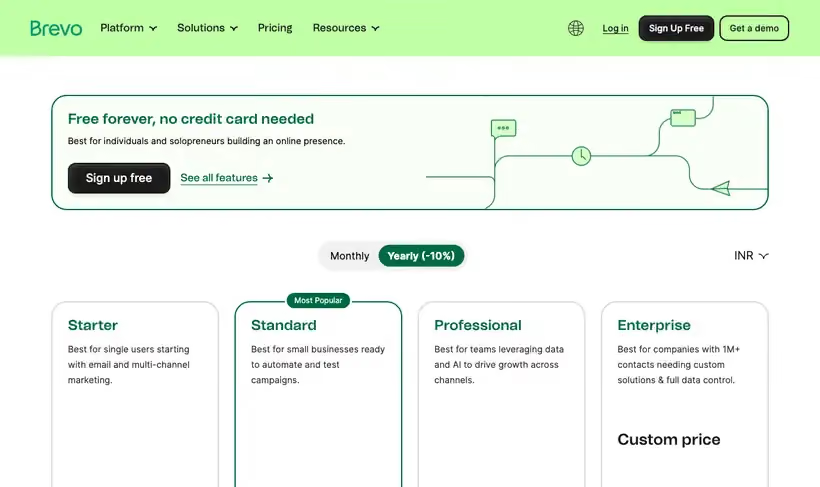
Store the whole list free and pay nothing until the sending outgrows a day. Once the account is approved you can send up to 300 emails per day at no cost.
That daily meter suits a B2B list, which usually grows faster than the sending does. Email, SMS, automation, landing pages, plus a light CRM sit in the same account.
What you get.
- Up to 300 emails per day once the account is approved for sending.
- Contact storage that is not the meter, so a big list sits there costing nothing.
- Transactional sending over SMTP or API in the same account as campaigns.
- Automation, forms, plus landing pages, so a lifecycle flow has somewhere to live.
How to set it up.
Create the account and upload contacts first, since the free plan lets you store them before approval.
Authenticate your sending domain with SPF, DKIM and DMARC before the first campaign goes out.
Warm up by sending to your most engaged segment first, staying inside the 300 emails per day allowance.
Split a larger campaign across several days before you consider upgrading, since the cap is daily.
Check Google Postmaster Tools after the first few sends to confirm reputation is holding.
Pricing Plans
Free
$0
up to 300 emails per day after account approval
Use cases
Mail a big list for nothing
Store several thousand contacts and send in daily batches inside the free allowance.
Transactional sending
Send receipts and password resets over SMTP without a second vendor.
Warm a new domain
Use the daily cap as a natural ramp while reputation builds.
Best for
A newsletter under a thousand readers
300 emails a day sends a small list across two or three mornings, which is free and works.
Transactional email on a small product
SMTP and API sending are on the same account, so product email does not need a second vendor.
Storing a list before you send to it
Contacts can be uploaded on the free plan while you are still deciding on a sending strategy.
Open the tool
Opens on Google in a new tab.