


Preview
What it is.
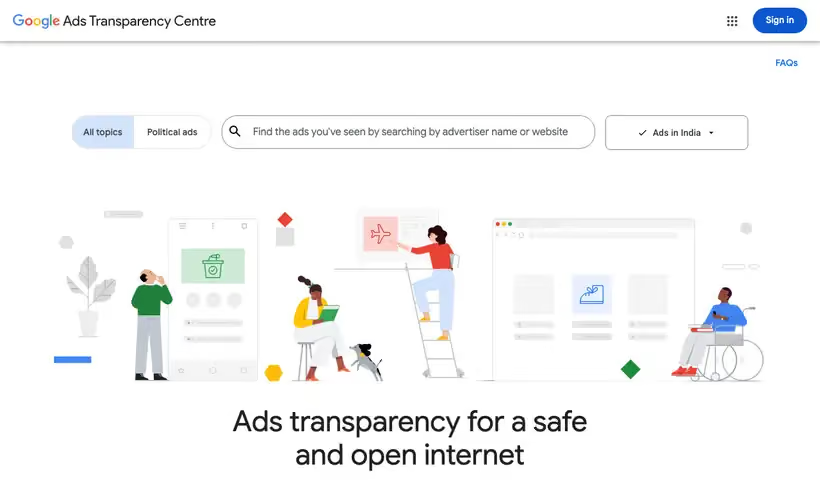
Google runs the Ads Transparency Center as a searchable repository of advertisers and their ads. It covers Google platforms like Search, Display, Gmail and YouTube. Search works signed out in any browser.
Search by advertiser name or website name, then filter by serving region and date. Verified advertisers display the legal name and location provided during verification. Unverified ones show a payments profile name.
For ads served in certain countries, Google adds targeting information and the total recipients per ad. It also provides API access to data about ads served in the EEA.
What you get.
- The ads an advertiser has served on Google platforms over a certain time period
- The verified legal name and location behind each advertiser
- Serving region and date filters on every search
- Targeting information and total recipients on ads served in certain countries
- API access to data about ads served in the EEA
How to set it up.
Open adstransparency.google.com; signed out works fine.
Type an advertiser or website name into the search bar and pick from the suggestions.
Set the region control to the market you're studying.
Add a date filter to bound the period you want.
Click a creative to open its detail view.
On the advertiser page, check the legal name and location before drawing conclusions.
Pricing Plans
Ads Transparency Center
$0
Public search of advertisers and the ads they've served
Use cases
See a rival's live ads
Look the advertiser up and page through what they have been serving.
Confirm who is behind an ad
Read the verified legal name when the creative names a brand you do not recognize.
Check a market
Filter by serving region to see what runs where you are about to launch.
Best for
PPC competitive research
You want a rival's live creative across Search and YouTube before writing your own. Start here.
Advertiser vetting
A suspicious ad needs a name behind it. The verified legal name and location settle who's paying.
Open the tool
Opens on Google in a new tab.