


Preview
What it is.
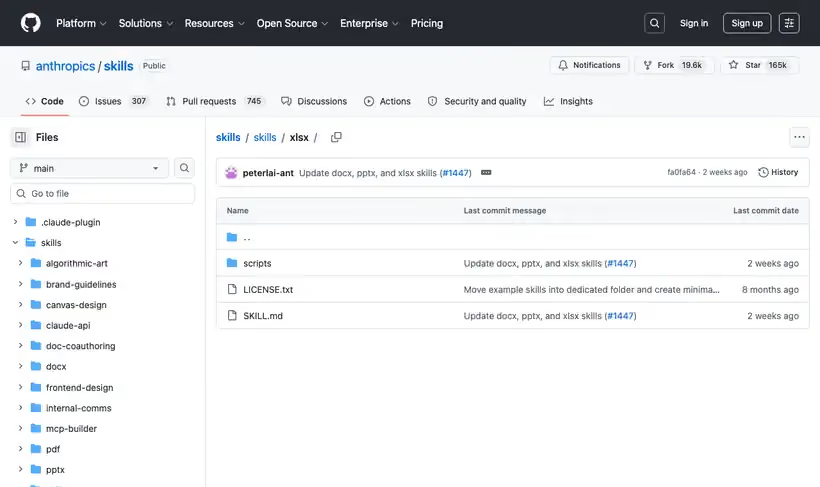
This is the skill that powers Claude's own spreadsheet output, published as a reference. For a marketing team it is how you get a funnel model or a spend tracker that recalculates when you change an input, instead of a grid of pasted numbers.
The rule that matters: write the formula, never the computed result. A sheet with =SUM(B2:B9) in it survives being edited, and a sheet with the total typed in does not.
Then there is a mandatory recalculation step. The recalc script runs the file through LibreOffice, reports the total formula count and every error cell by location, and the skill instructs you never to deliver while errors remain.
What you get.
- Spreadsheets that recalculate, because inputs stay as formulas
- A recalculation report naming up to 100 error cells per error type
- A documented function ban list, so a delivered file has no unevaluated cells in it
- Assumption documentation next to the numbers, with a source citation format
- An input legend and one example row when the sheet is built for someone else to fill
How to set it up.
Add the marketplace with /plugin marketplace add anthropics/skills, then /plugin install document-skills@anthropic-agent-skills.
State the tab names, column headers and the formulas you want in the words you want them. The skill is instructed to follow a spec literally instead of redesign it.
Write two or three formulas first and check they pull the values you expect, before building out a full grid.
Run scripts/recalc.py on the output. It rewrites the file in place and returns the formula count plus every error cell.
Read the status field, not the exit code. A file with errors still exits zero, so a clean exit is not a clean workbook.
Stay away from XLOOKUP, FILTER and UNIQUE. The recalculation step evaluates fewer functions than Excel does, and the skill routes you to INDEX and MATCH instead.
Pricing Plans
Free to use. Source-available license, not open source.
Included in Anthropic's document-skills plugin. Checked against the repo in July 2026.
Use cases
A funnel model for handoff
The pipeline model will be edited by someone else. Describe the tab names and the formulas you want, and the file arrives with live formulas throughout and an input legend with one example row for whoever fills it in.
Cleaning a junk export
The CSV from your ad platform has misplaced headers and garbage rows. Hand it the export and a proper spreadsheet comes back, with the structure repaired, not worked around.
Error check before sending
A workbook is about to go to a client. Run the recalculation script and it reports the formula count and every error cell by location, and the rule is that nothing goes out while errors remain.
A spend tracker with receipts
Your budget sheet mixes measured numbers with guesses. The skill requires every hardcoded figure to carry a note where the reader will see it, with a citation format for the published ones.
Best for
A funnel model someone else will edit
Live formulas mean a colleague can change the conversion rate assumption and see the pipeline number move.
Cleaning a messy export
It handles CSV and TSV in, spreadsheet out, including exports with misplaced headers and junk rows.
A spend tracker with sourced assumptions
The skill requires every hardcoded number to carry a note where the reader will see it, with a citation format for published sources.