


Preview
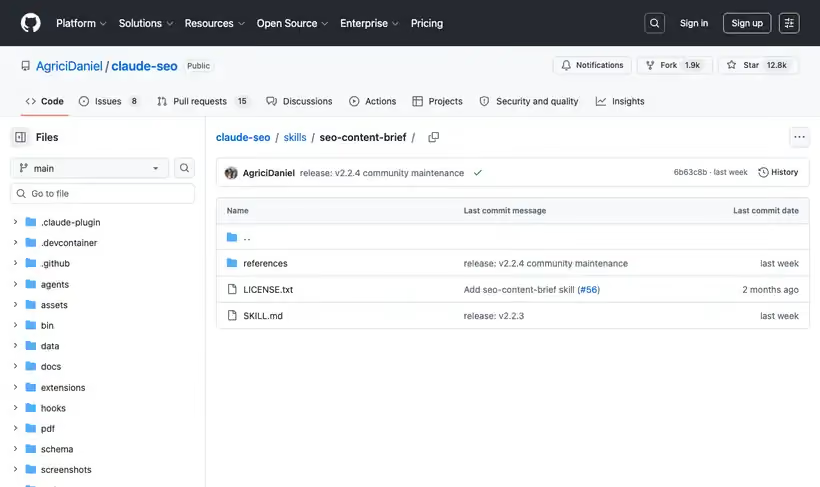
What it is.
Two modes, and the second one is the reason to install it. Improve mode takes an existing URL, reads what is already strong, and marks sections as keep, strengthen or add, so you get a targeted edit instead of a rewrite nobody has time for.
New page mode starts from a keyword and builds the outline from competitive gaps, using the site's homepage or sitemap only for business context.
Both modes produce per-section word counts, keyword placement rules and a page-type template. The word counts are what stop a writer spending half the piece on the intro.
What you get.
- Competitor analysis with gap scoring per section
- A per-section word count breakdown, so length is decided before writing starts
- Keyword placement rules that name positions in the page
- Page-type templates, so a service page brief differs from a blog brief
- In improve mode, a keep-versus-add marking against the existing page
How to set it up.
Install the Claude SEO plugin, then run /seo setup once.
Call it with a URL when the page exists, or a keyword when it does not. It takes a page type as a second argument.
Pass the page type explicitly. A service page brief and a blog brief carry different section templates, and guessing costs you a rewrite.
In improve mode, read the keep list first. The skill is built to avoid recommending a full rewrite when targeted work will win.
Hand the writer the per-section word counts alongside the outline, because the outline alone gets padded.
Check the keyword placement rules against your own style guide before the brief goes out.
Pricing Plans
Free. MIT license.
Included inside the Claude SEO plugin. Checked against the repo in July 2026.
Use cases
Refreshing a slipped page
A page that used to rank has drifted down. Give it the URL in improve mode and it reads what's still strong, marks which sections to keep and which need work, and returns a targeted edit plan, which beats a rewrite nobody has time for.
Briefing a freelancer cold
The writer has never seen your site. Hand over a keyword and the page type, and the brief arrives with per-section word counts and keyword placement rules, so length and structure are decided before drafting starts.
A service page brief
Most brief tools assume a blog post. Pass the service page type explicitly and the outline comes back on a commercial template, with competitor gap scoring telling you which sections the ranking pages are missing.
Best for
Refreshing a page that used to rank
Improve mode marks what to keep, which is the decision that makes a refresh cheaper than a rewrite.
Briefing freelance writers
Per-section word counts and placement rules travel well to someone who has never seen your site.
Service pages as well as blog posts
Page-type templates cover commercial pages, which most brief generators treat as an afterthought.