


Preview
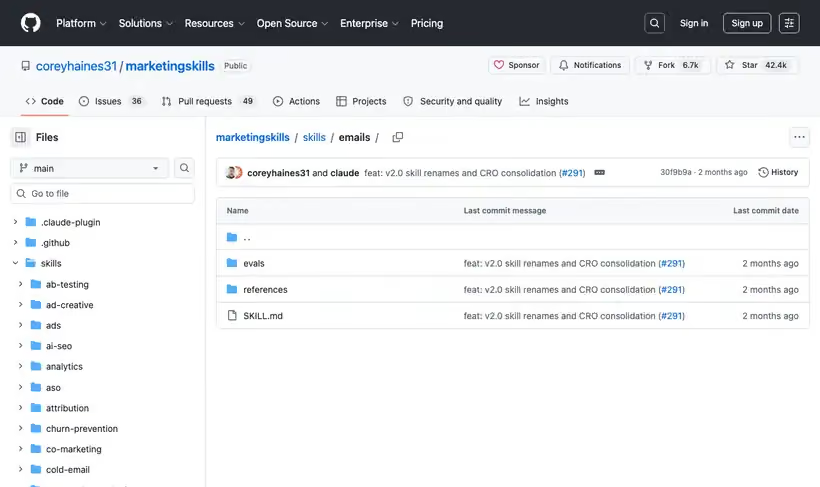
What it is.
You name the sequence type and what triggered someone into it, and it writes the emails with the length, the delays, the subject lines and the preview text set for that sequence.
Two rules carry the output: one email does one job, and value arrives before the ask. Auditing an existing sequence against those two usually explains why it stops working around email three.
What you get.
- Sequences across seven types, from welcome and nurture through win-back
- Length and delay set per sequence, so timing follows the trigger
- Subject line and preview text handled as separate decisions
- Email types split by job: onboarding, retention, billing, usage, win-back
- A one-job-per-email check on every draft
How to set it up.
Install with npx skills add coreyhaines31/marketingskills --skill emails -a claude-code.
Name the sequence type. Welcome, nurture, re-engagement, post-purchase, event-based, educational and sales sequences all behave differently.
State what triggered the person in. That trigger sets the timing more than any best-practice delay table.
Give each email one job and delete the second call to action. This is the check that improves most existing sequences.
Put value before the ask in every email, including the last one.
Write preview text as its own line and not as a repeat of the subject, since it is a second chance at the open.
Pricing Plans
Free. MIT license.
Checked against the repo in July 2026.
Use cases
Welcome sequence that dies early
Opens collapse after the second email. Paste the sequence and name its trigger, and it audits every message against one job per email and value before the ask, then rewrites the ones that fail.
Win-back for lapsed users
A segment went quiet months ago. Name win-back as the sequence type and it sets the length and delays for that specific job, since a nurture template's timing is wrong for someone who already left.
Writing the billing emails
Nobody ever wrote the failed-payment and usage-limit emails. Name the trigger for each and it drafts them as their own email types, with timing that follows the trigger instead of a best-practice delay table.
Subject and preview rewrite
Your preview text repeats the subject line. Hand over the sends that underperform and it rewrites both as separate decisions, treating the preview as a second chance at the open.
Best for
A welcome sequence nobody opens past email two
Usually multiple jobs per email and an ask too early, and both are checkable in an afternoon.
Win-back and re-engagement
Treated as its own sequence type with its own timing, which a general nurture template gets wrong.
Billing and usage emails
Named as separate categories, and they are the ones marketing usually never writes.