


Preview
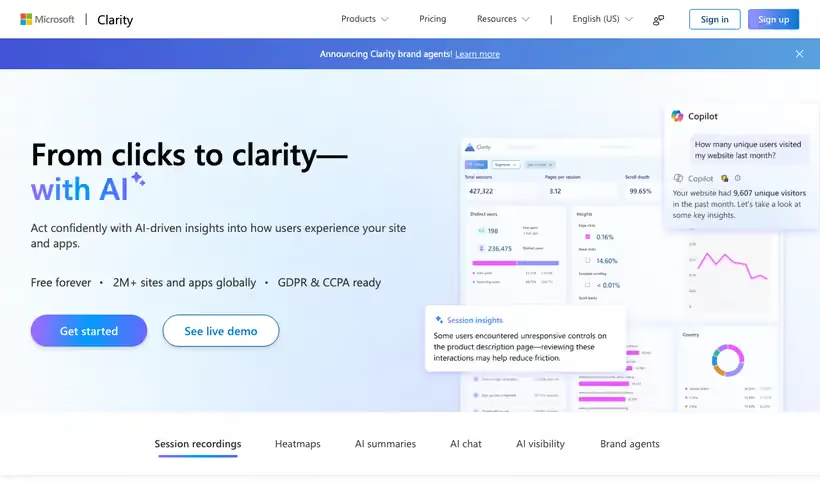
What it is.
Clarity shows you the moment someone rage-clicks a dead button or scrolls past the section you argued about. Microsoft calls it a free service forever, with no traffic limits and no sampling.
You pay for that in retention. Recordings stick around 30 days from the time of recording, with favorites and a random sample held up to 9 months, so anything you'll want for a quarterly review has to be saved when you find it.
What you get.
- Session recordings for every visit, filtered to the pages where something went wrong.
- Rage click and dead click signals, which jump you straight to the broken moment.
- Scroll heatmaps showing whether anyone reaches the section below the fold.
- A Copilot summary of what a set of recordings had in common, when volume is high.
How to set it up.
Add the tracking script through Google Tag Manager, or use the Shopify or WordPress install if you have one.
Wait for a day of traffic, then open the dashboard and sort by rage clicks to find the worst page first.
Filter recordings to that page and watch five in a row, since patterns show up faster than any single session.
Open the scroll heatmap for the same page to see whether anyone reaches the section you argued about.
Favorite the recordings you want to keep, because ordinary recordings are held 30 days.
Mask any field that collects personal data before you invite the wider team in.
Pricing Plans
Clarity
$0
unlimited traffic, no sampling, 30 day recording retention
Use cases
Why a page fails
Filter recordings to the page that converts badly and watch five sessions end to end.
Rage click hunt
Jump to the frustration signals instead of scrubbing whole sessions.
Scroll depth check
See how far people get before the section you care about.
Best for
Working out why a page fails to convert
Five recordings of the same landing page usually answer the question a month of analytics could not.
High-traffic sites on a budget
No traffic limit and no sampling means a busy site pays nothing, which is unusual in this category.
Checking a new page after launch
Scroll depth and rage clicks tell you within a day whether the layout is working.
Open the tool
Opens on Google in a new tab.